Notion Review: The All-in-One Workspace for Notes, Projects, and Productivity
In today’s digital world, staying organized can be challenging. We use separate apps for taking notes, managing tasks, creating documents, planning projects, and storing information. Notion aims to bring many of these activities together in one flexible workspace.
Whether you are a student, content creator, freelancer, entrepreneur, or part of a business team, Notion can help you organize information and manage your work more efficiently.
What Is Notion?
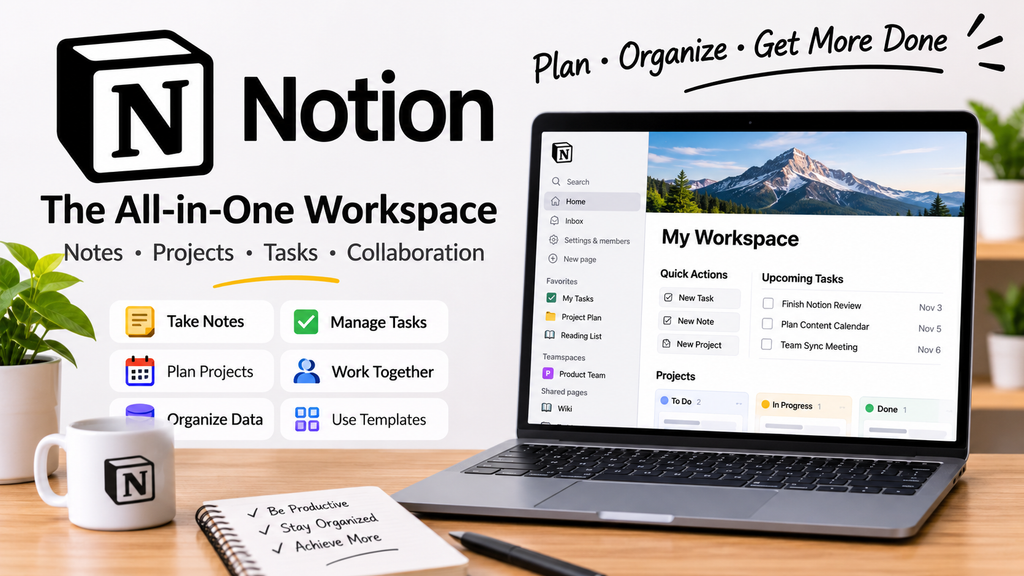
Notion is an all-in-one productivity and workspace platform that combines notes, documents, databases, project management, wikis, and task management in one place.
Instead of switching between several applications, users can create a customized workspace according to their needs.
For example, you can use Notion to create:
- Personal notes
- To-do lists
- Project plans
- Content calendars
- Meeting notes
- Company wikis
- Study planners
- Habit trackers
- Reading lists
- Business databases
One of Notion’s biggest strengths is its flexibility. You can start with a simple page and gradually build a complete productivity system around it.
Key Features of Notion
1. Notes and Documents
Notion provides a clean editor for creating documents, articles, meeting notes, and personal pages.
You can add headings, checklists, images, tables, links, code blocks, and other content elements to your pages.
This makes Notion useful for both simple notes and detailed documents.
2. Databases
Databases are one of Notion’s most powerful features.
You can create databases to organize information such as tasks, customers, books, expenses, content ideas, or projects.
The same database can be displayed in different views, including:
- Table
- Board
- Calendar
- List
- Gallery
- Timeline
This allows you to view the same information in a way that suits your workflow.
3. Project Management
Notion can be used to manage projects from beginning to completion.
You can create tasks, assign responsibilities, add deadlines, track progress, and organize projects using boards or timelines.
For small teams and individual users, this can make Notion a useful alternative to using several separate project-management tools.
4. Templates
Notion offers templates that can help users get started quickly.
Instead of building a workspace from scratch, you can choose a template for areas such as:
- Project management
- Personal productivity
- Student planning
- Content creation
- Business management
- Meeting notes
- Goal tracking
Templates are particularly helpful for beginners who are not sure how to structure their workspace.
5. Collaboration
Notion also supports collaboration, allowing teams to work together on shared pages and projects.
Teams can create a central workspace for documents, processes, project information, and internal knowledge.
This can reduce the need to search through multiple applications for important information.
Notion for Content Creators
Notion can be particularly useful for bloggers, YouTubers, social media managers, and other content creators.
For example, a blogger can create a content database containing:
| Content Idea | Status | Category | Publish Date |
|---|---|---|---|
| Productivity Tools | Draft | Software | November 5 |
| Notion Review | Published | Productivity | November 1 |
| Project Management Tools | Research | Business | November 10 |
This type of system makes it easier to keep track of content ideas and publishing schedules.
Notion for Students
Students can use Notion to organize their academic life.
A student could create separate pages for:
- Class notes
- Assignments
- Exam schedules
- Study plans
- Reading lists
- Important resources
Instead of keeping information scattered across notebooks and different applications, everything can be organized in one workspace.
Advantages of Notion
There are several reasons why Notion has become popular among productivity-focused users.
Flexible: You can build your workspace around your own workflow.
All-in-one: Notes, databases, tasks, documents, and project information can be managed from one platform.
Customizable: Pages can be structured and organized in many different ways.
Useful for individuals and teams: Notion can work for personal productivity as well as collaborative projects.
Templates: Ready-made templates make it easier to get started.
Disadvantages of Notion
Notion is powerful, but it may not be perfect for everyone.
Learning Curve
Because Notion provides so many options, beginners may initially find it confusing.
Can Become Complicated
It is easy to create overly complicated dashboards and databases. Sometimes a simple page is all you need.
Requires Organization
Notion gives you a lot of freedom, but that also means you need to decide how to structure your workspace.
Is Notion Worth Using?
For people who want a flexible digital workspace, Notion is definitely worth considering.
Its biggest advantage is that it doesn’t force everyone to work in the same way. You can use it as a simple note-taking application or build a sophisticated workspace containing databases, projects, documents, and knowledge bases.
The best approach for beginners is to start simple. Create a few useful pages first and add more features only when you actually need them.
Final Verdict
Notion is more than a note-taking application. It is a flexible productivity platform that can bring documents, tasks, databases, projects, and knowledge management together.
For students, freelancers, creators, entrepreneurs, and teams, Notion can become a central place for organizing work and information.
However, its flexibility can also make it overwhelming. The key is to avoid overcomplicating your workspace and focus on building a system that genuinely saves you time.
Overall, Notion is an excellent choice for users looking for a customizable all-in-one productivity workspace.
Rating: ⭐⭐⭐⭐½ / 5
Best for: Productivity, note-taking, project management, content planning, knowledge management, and team collaboration.
