ClickUp Review: The All-in-One Productivity Platform
Plan, organize, collaborate, and get more done with ClickUp
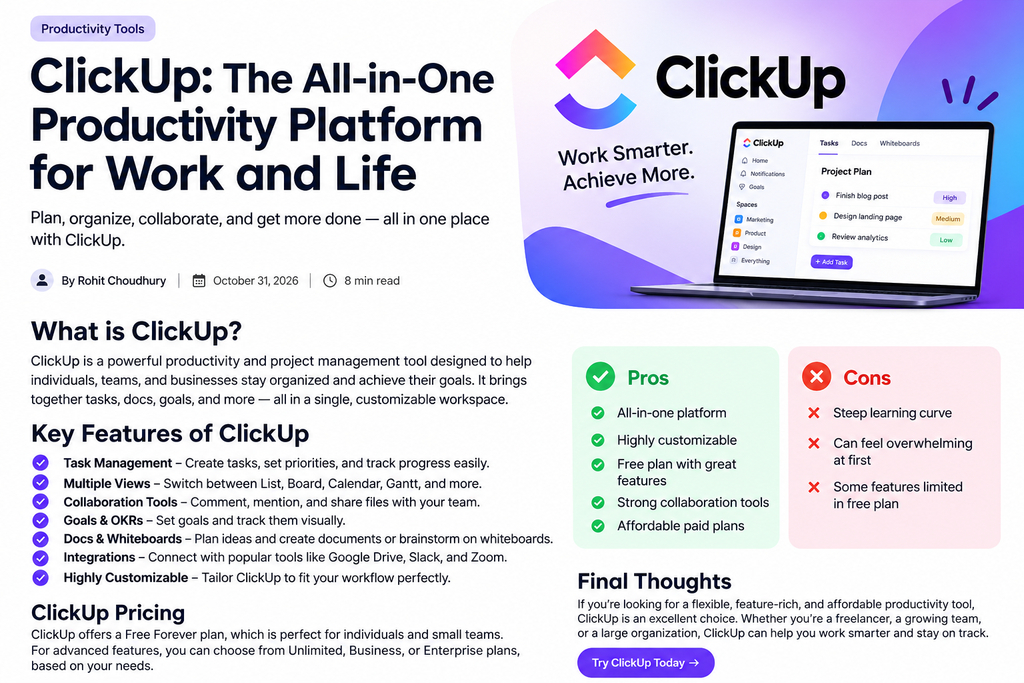
In today’s fast-paced digital world, managing tasks, projects, deadlines, and team communication can quickly become overwhelming. This is where ClickUp comes in.
ClickUp is an all-in-one productivity and project management platform designed to bring tasks, documents, goals, communication, and workflows together in one place.
Whether you are a freelancer, student, content creator, small business owner, or part of a large team, ClickUp can help you organize your work more efficiently.
What Is ClickUp?
ClickUp is a productivity and project management tool that allows users to create tasks, manage projects, collaborate with team members, set goals, create documents, and track progress.
Instead of switching between several different applications, you can use ClickUp as a centralized workspace for managing your work.
Its highly customizable interface allows users to create workflows according to their specific needs.
Key Features of ClickUp
1. Task Management
Task management is at the heart of ClickUp. You can create tasks, assign them to team members, set due dates, add priorities, and monitor progress.
This makes it easier to understand what needs to be done and when it needs to be completed.
2. Multiple Project Views
ClickUp offers several ways to visualize your work.
Depending on your workflow, you can use views such as:
- List View
- Board View
- Calendar View
- Gantt Chart
- Timeline
- Table View
These options make ClickUp flexible for different types of projects.
3. Team Collaboration
ClickUp includes collaboration features that help teams communicate without constantly switching between applications.
Team members can comment on tasks, mention colleagues, share files, and keep project discussions connected to the relevant work.
4. Goals and Progress Tracking
ClickUp allows users and teams to create goals and track their progress.
This can be particularly useful for businesses that want to monitor objectives, project milestones, or performance targets.
5. Docs and Whiteboards
ClickUp isn’t limited to task management.
Users can create documents for notes, project information, meeting records, and planning. Whiteboards can also be used for brainstorming and visual collaboration.
6. Integrations
ClickUp can connect with other popular productivity and business applications, helping users bring more of their workflow into one workspace.
Integrations can reduce the need to constantly move information between different tools.
7. Customization
One of ClickUp’s biggest advantages is customization.
You can configure spaces, folders, lists, statuses, fields, views, and workflows to suit your particular requirements.
ClickUp Pricing
ClickUp provides a Free Forever plan that can be useful for individuals and small teams who want to try the platform.
For users who need additional features and greater capacity, ClickUp also offers paid plans. The available plans and pricing can change over time, so it’s a good idea to check ClickUp’s current pricing before choosing a plan.
Pros and Cons of ClickUp
Pros
- All-in-one productivity platform
- Highly customizable
- Multiple project views
- Strong collaboration features
- Useful free plan
- Suitable for individuals and teams
- Supports a wide range of workflows
Cons
- The large number of features can feel overwhelming initially
- New users may need some time to learn the platform
- Some advanced features require paid plans
- Highly customized workspaces can take time to set up
Who Should Use ClickUp?
ClickUp can be useful for a wide range of users.
Freelancers can use it to manage clients and deadlines.
Content creators can organize content calendars and publishing tasks.
Students can track assignments, projects, and study schedules.
Small businesses can manage projects and team responsibilities.
Larger teams can use ClickUp for project planning, collaboration, goals, and workflow management.
Is ClickUp Worth It?
If you are looking for a productivity platform that combines task management, project planning, collaboration, documents, goals, and customization, ClickUp is worth considering.
Its biggest strength is flexibility. You can keep things simple with basic task lists or build more advanced workflows as your needs grow.
However, beginners may find the number of features a little overwhelming at first. Spending some time learning the platform can make it much easier to take advantage of its capabilities.
Final Verdict
ClickUp is a powerful and flexible productivity tool for people who want to organize their work in one place.
Its combination of task management, project views, collaboration, goals, documents, and customization makes it a strong option for both individuals and teams.
If you’re tired of managing your work across multiple productivity apps, ClickUp could be a useful tool to add to your workflow.
Rating: 4.5/5 ⭐
Final Thoughts
The best productivity tool is the one that fits your workflow. ClickUp may take some time to learn, but its flexibility and wide range of features make it a compelling choice for anyone looking to work smarter and stay organized.
Try ClickUp and see whether it fits your productivity workflow.
